

 2.4.4 - 2.4.6

Store Locator for Magento 2
v4.3.0
Use Case

-
Business goals:
- Provide customers with convenience and satisfaction to increase foot traffic, and enhance your brand's image and competitiveness in the market
- Not automatically detect a customer's location and suggest the nearest store. Customers have to enter their location or search for nearby stores manually
- Filter locations based on customers’ current position
- Be equipped with the development of Google Maps and GPS to show the exact address.
- Offer automatic assistance with Google Maps suggestions

-
Business goal:
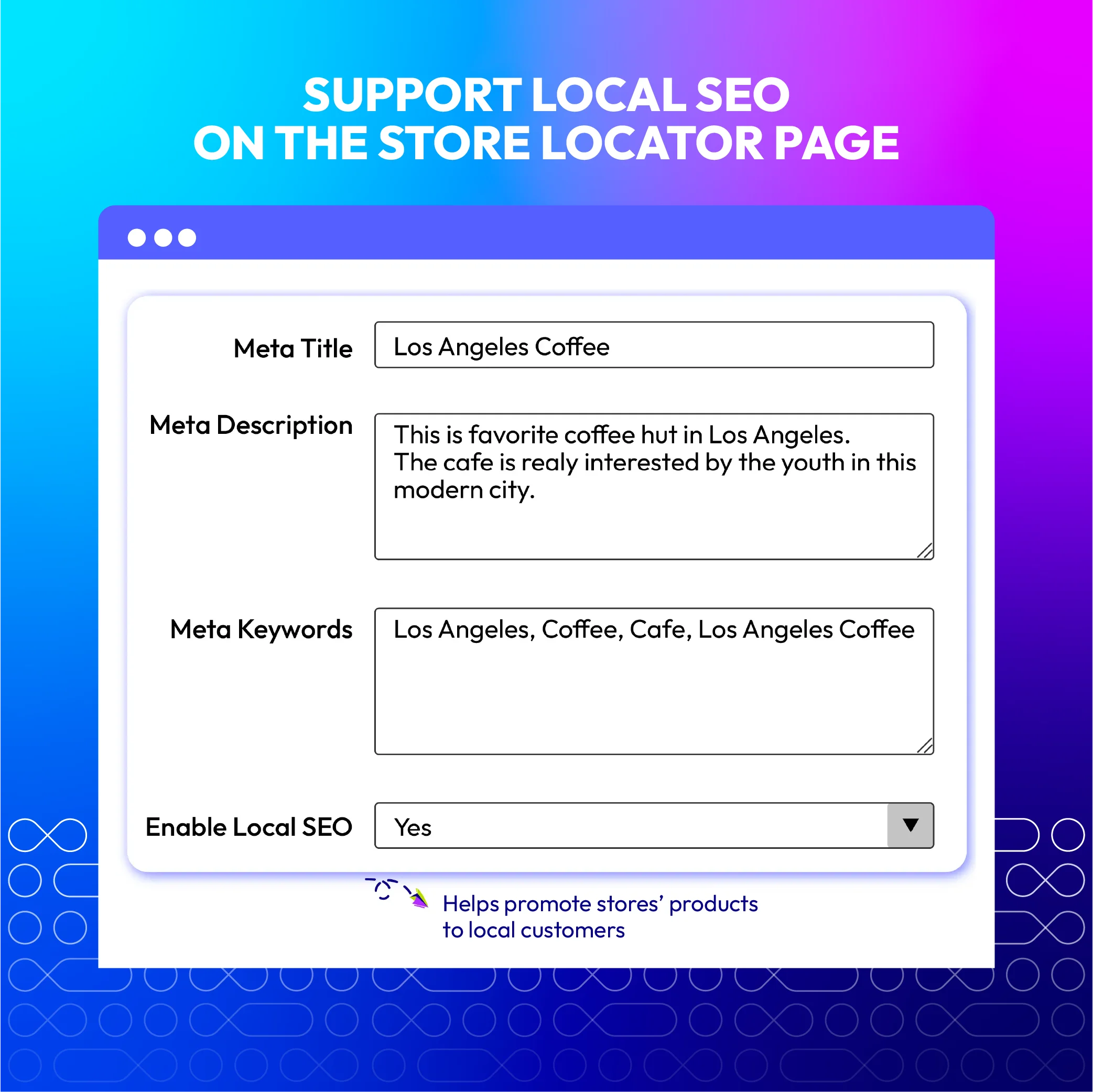
- Help to promote products to local customers when they are looking for them
- Not provide tools to optimize website content, specifically for local keywords, and specific tools or settings to optimize pages for local searches, such as optimizing title tags, meta descriptions, and header tags with local keywords
- Integrate keywords into content, especially local keywords, to improve SEO performance and increase the stores’ rankings on search engines
-
Business goal:
- Vital for creating a cohesive and visually appealing online-to-offline shopping experience. It not only reinforces your brand's identity but also enhances user engagement and trust, ultimately contributing to better conversion rates.
- No user Interface (UI) customization
- No mobile-friendly design
- No custom routing and directions
- Customize your theme to match your brand's style and colors
- Modify templates and layouts for the store locator that adapt to different screen sizes and devices, including mobile phones and tablets
- Customize the map appearance, if using a service like Google Maps
- Create custom icons and markers for store locations
Magento 2 Store Locator Highlight Features
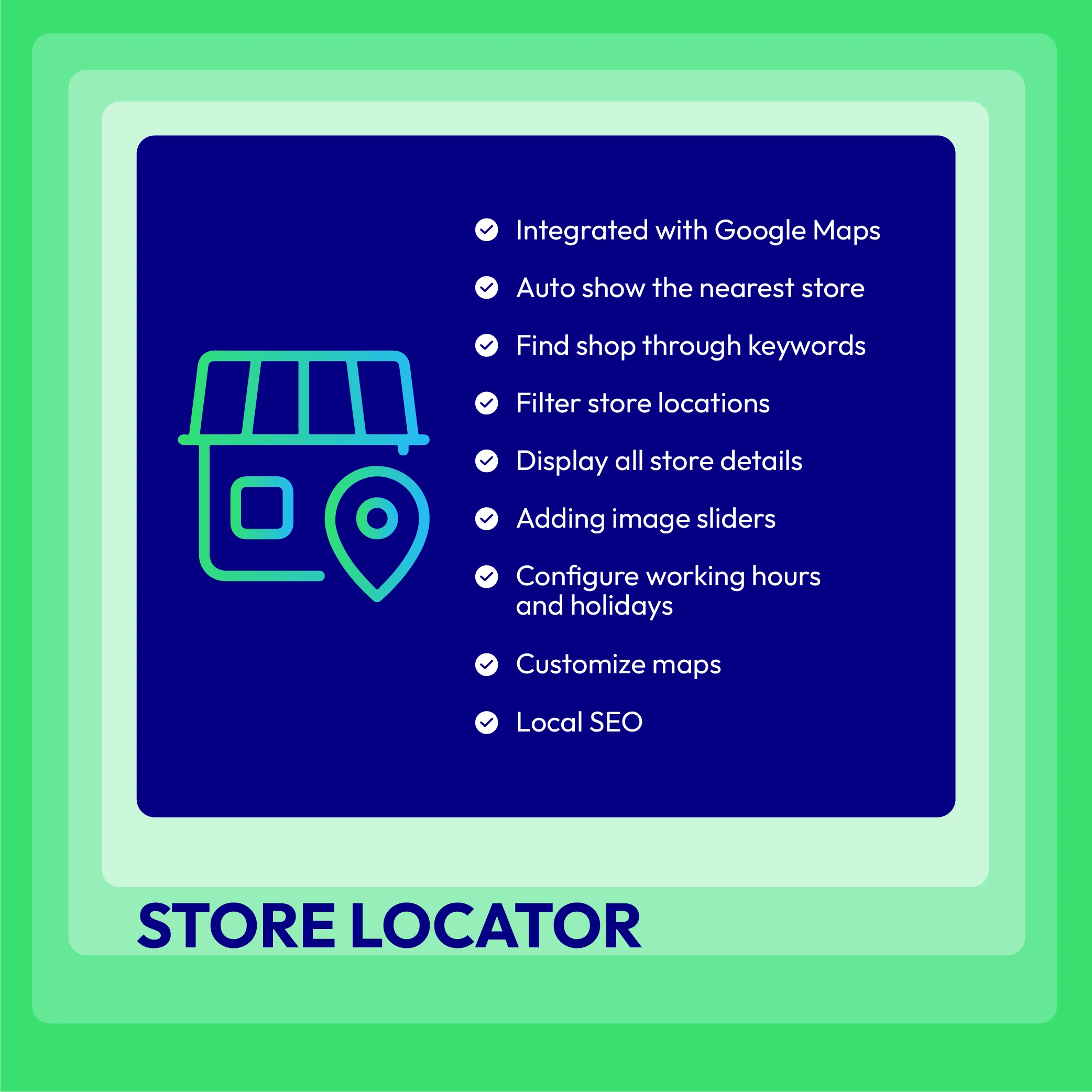
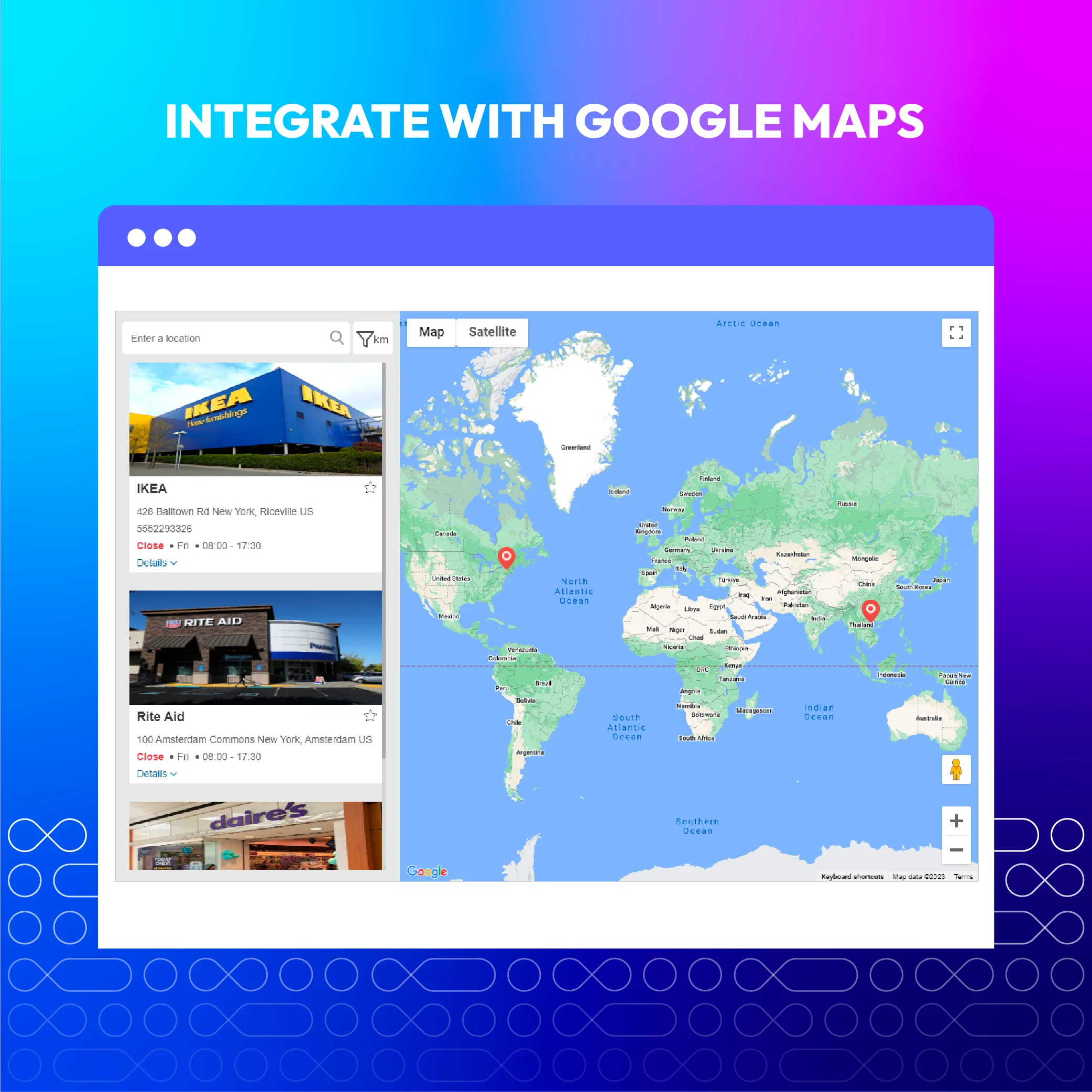
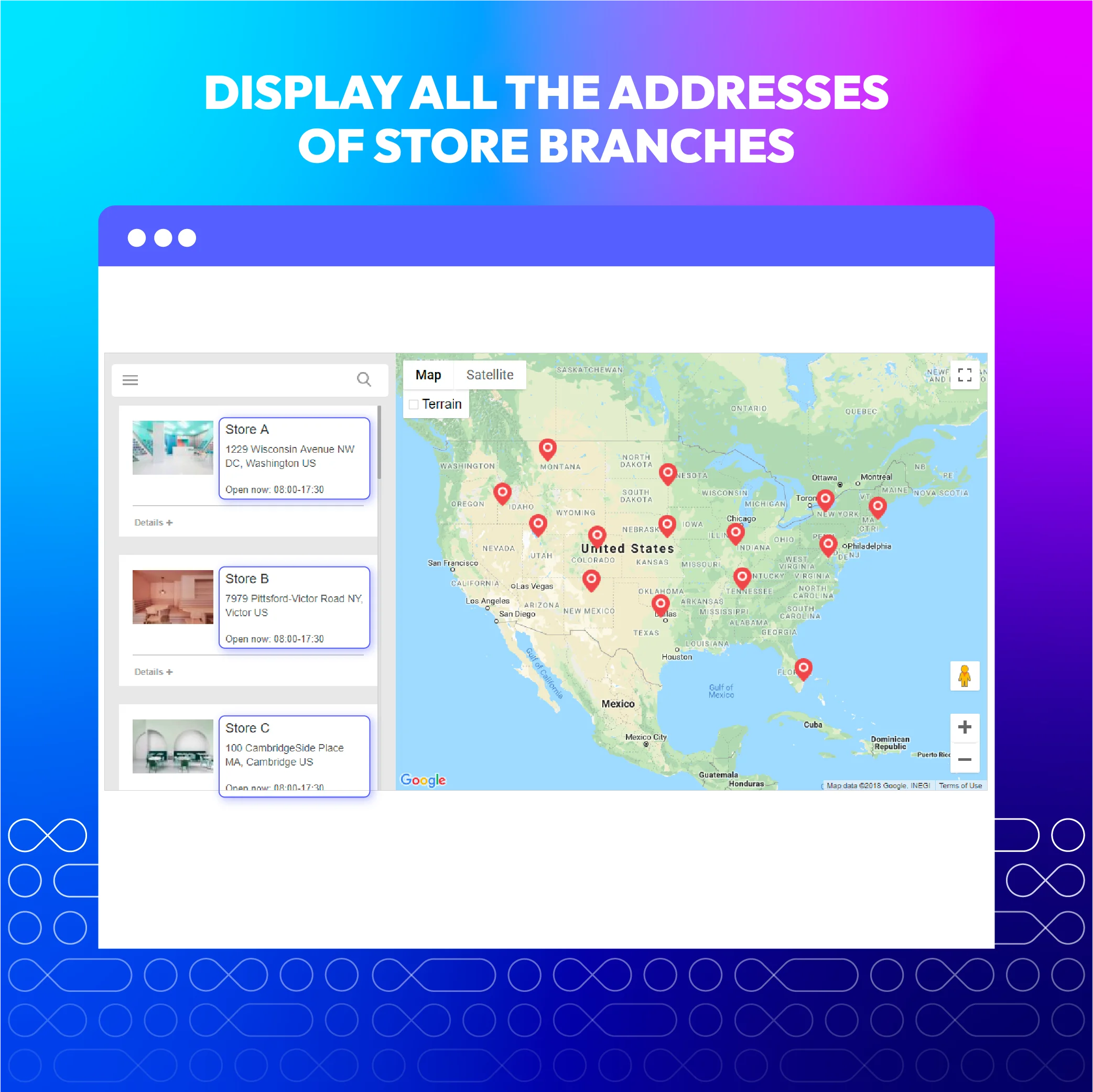
Display store locations with Google Maps
Google Map integration allows customers to easily approach all locations of store premises and experience the full features of Google Map right on the site.
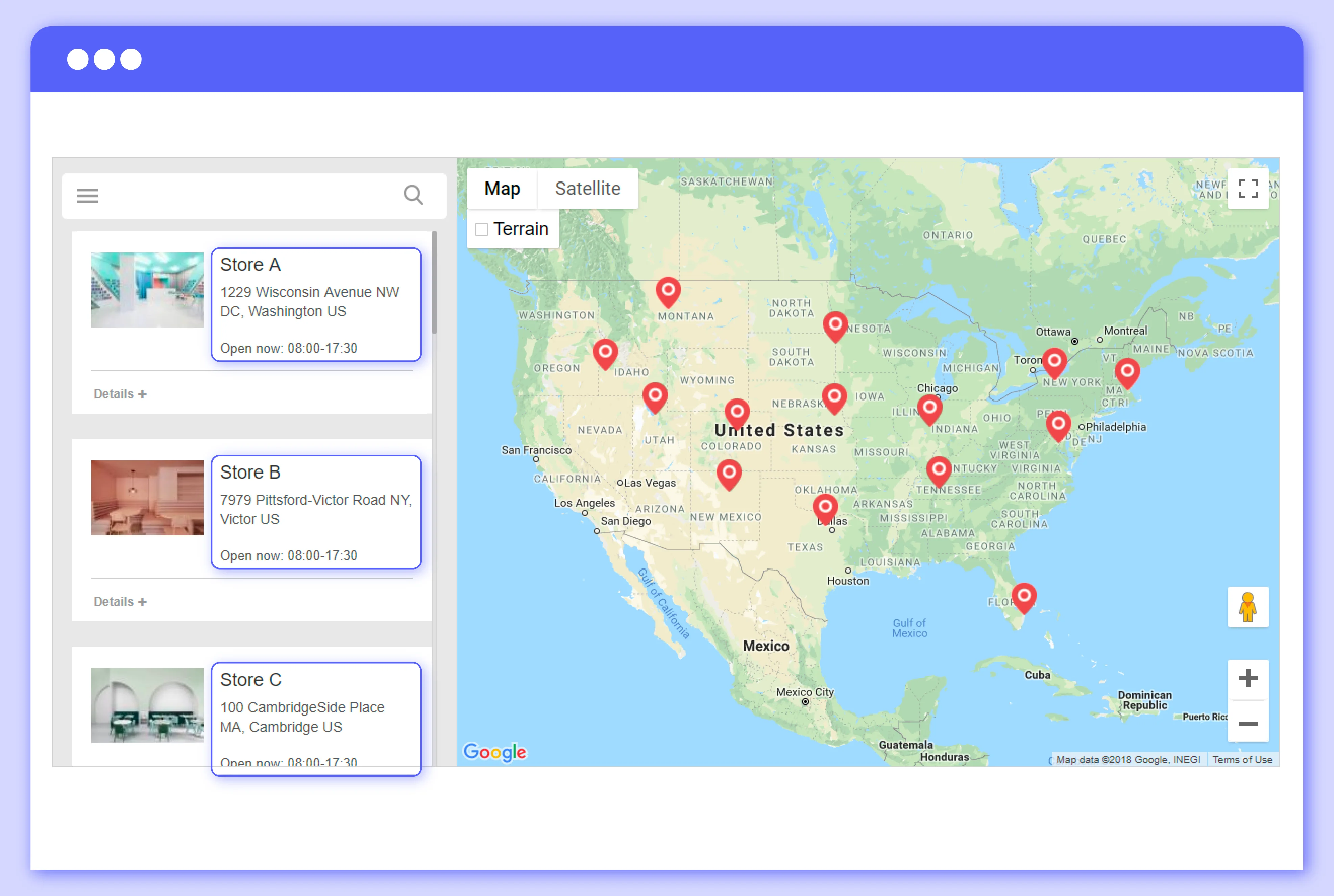
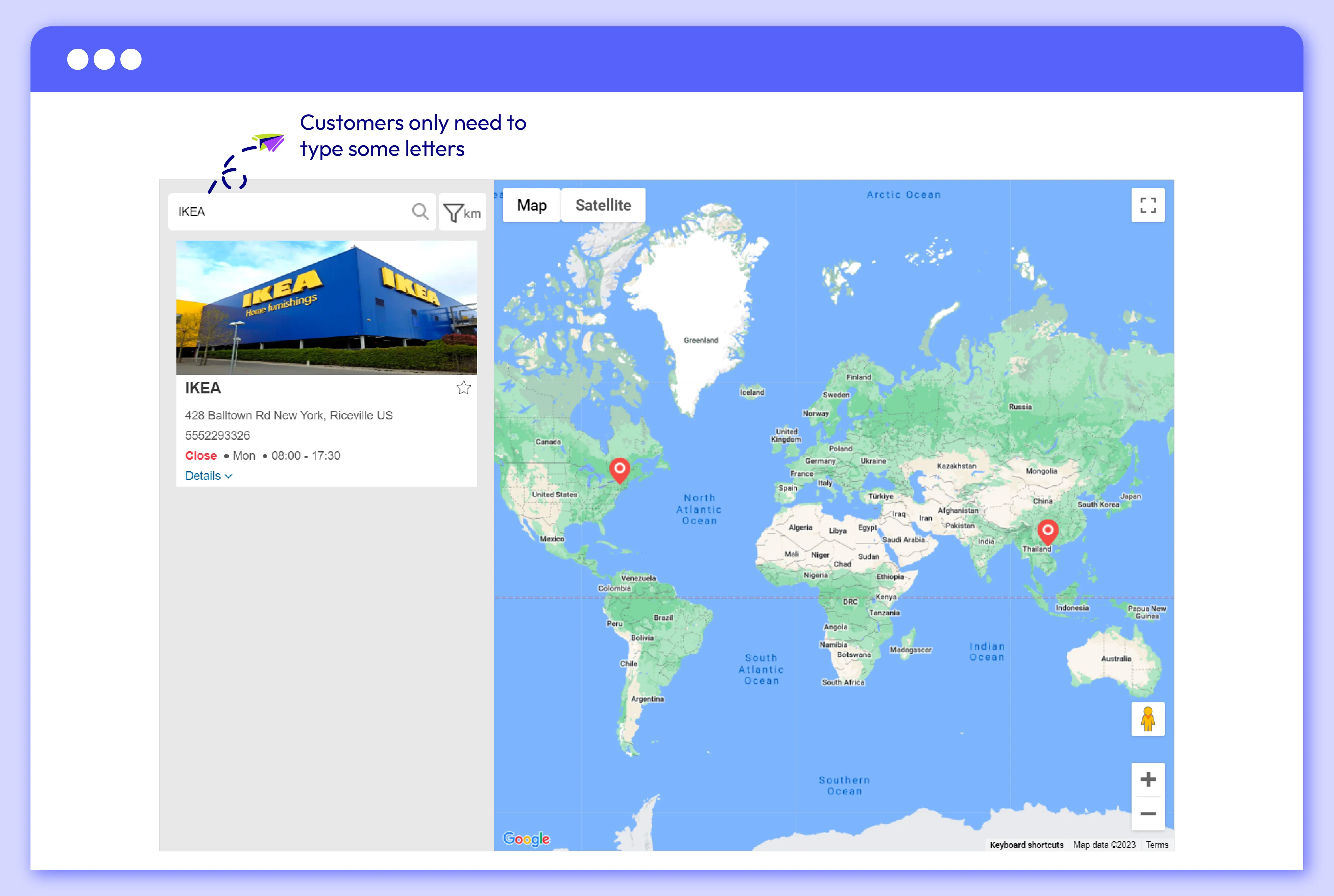
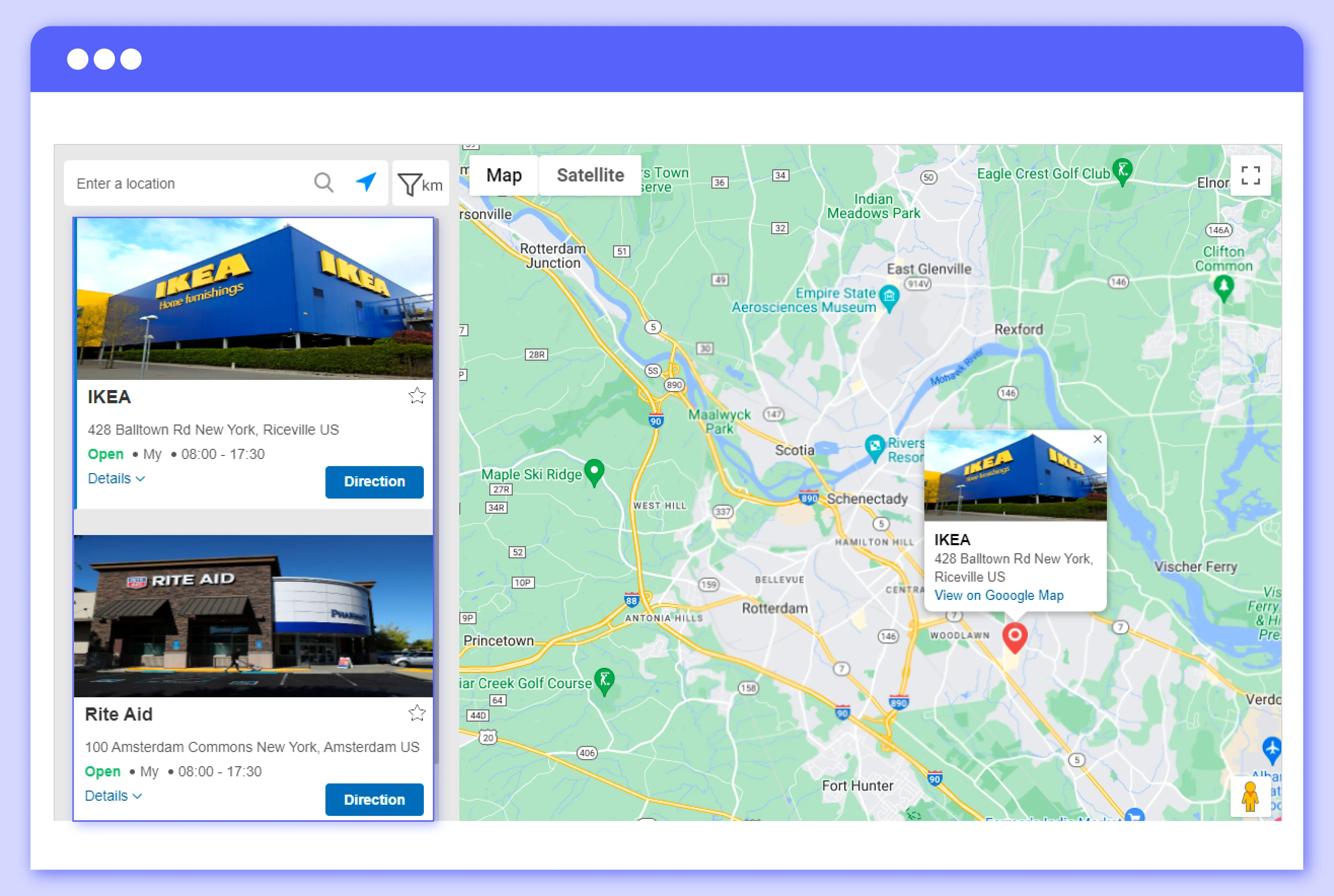
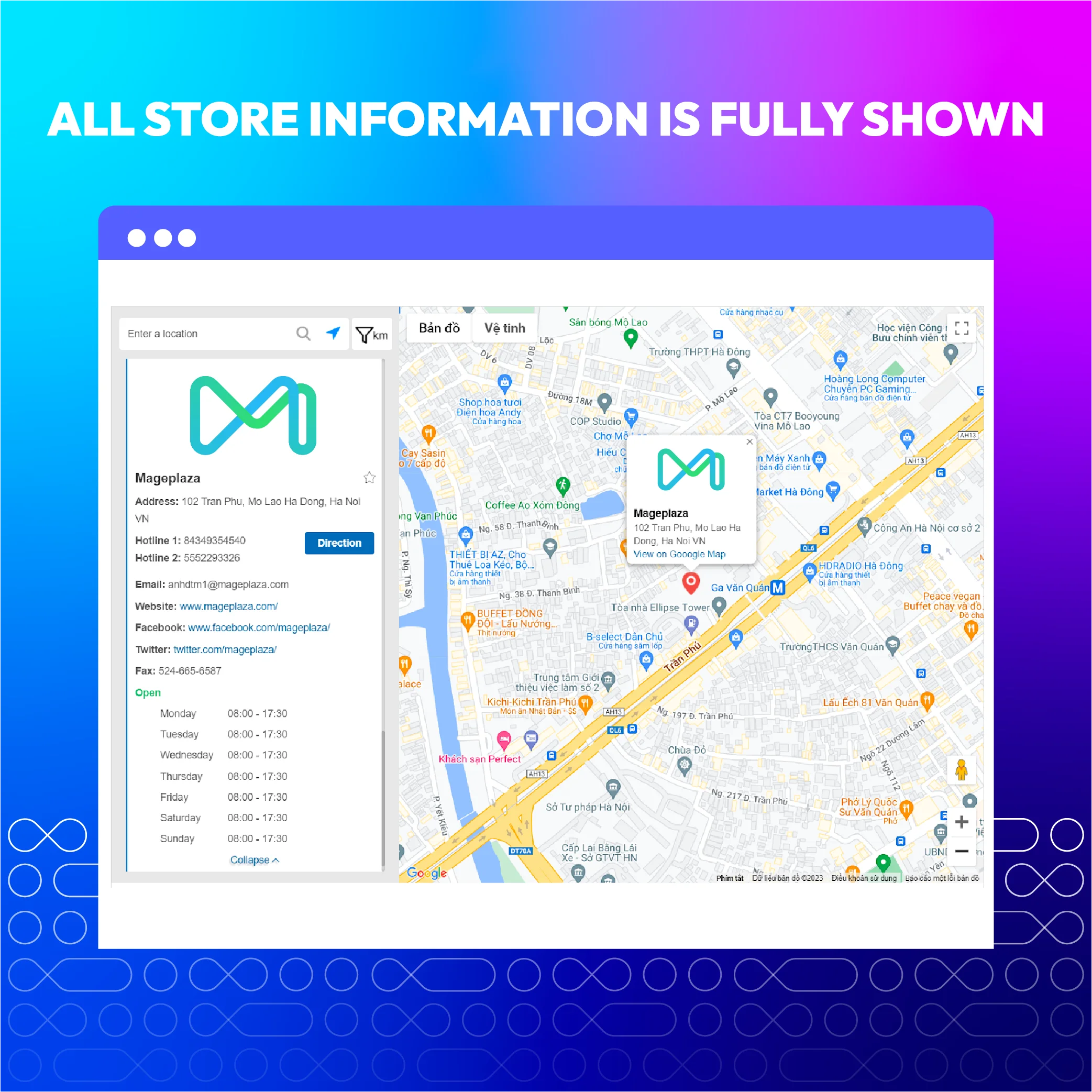
Display full store information and images in one click
The main information and images of each store block are shown next to the map. When they click on the marker icon on the map, the main details are also displayed responsively.
Address, phone, website, parking availability, and a short description/note are fully shown. This time-saving feature helps customers view necessary store information quickly and find a suitable physical store easily.
Address, phone, website, parking availability, and a short description/note are fully shown. This time-saving feature helps customers view necessary store information quickly and find a suitable physical store easily.
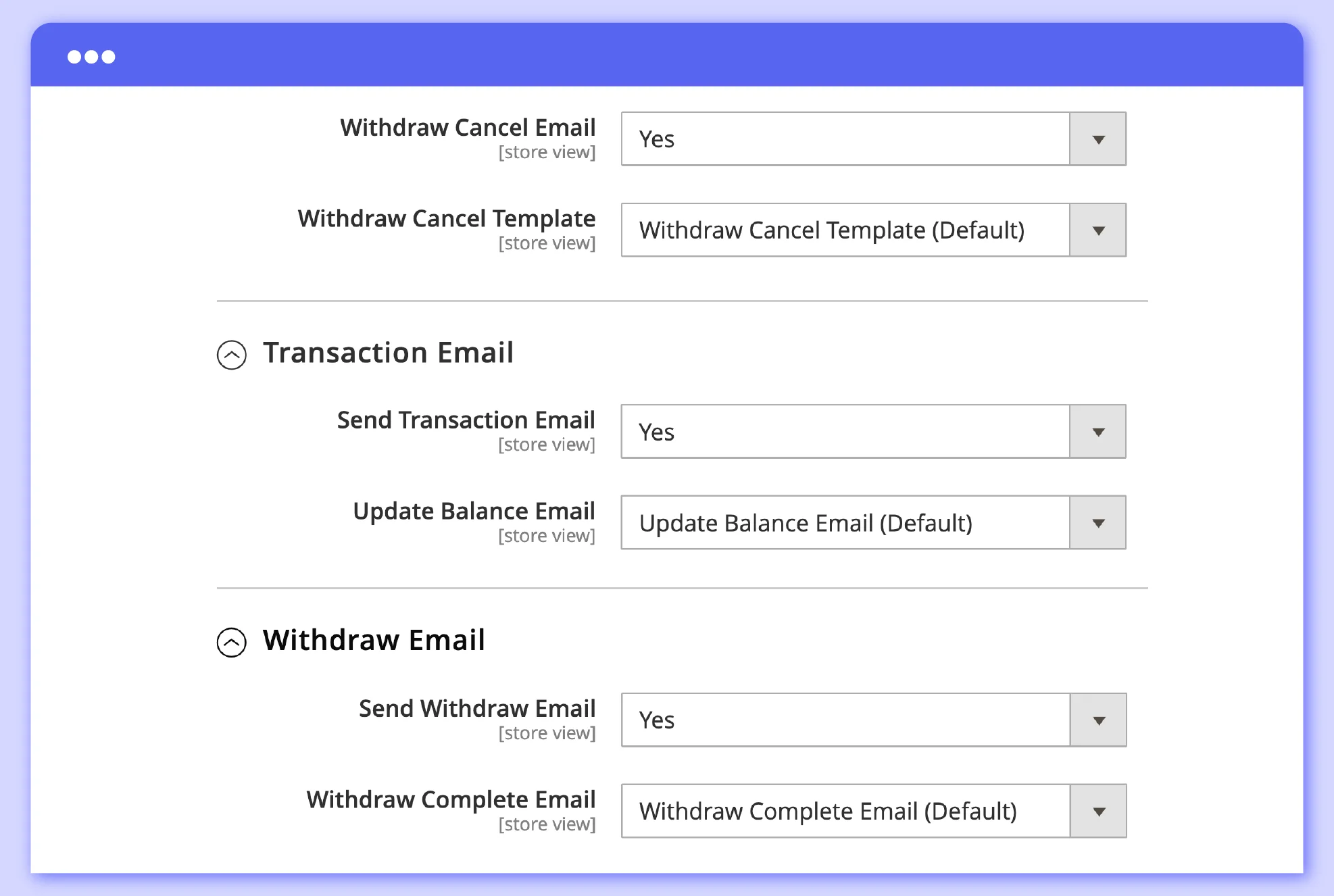
This feature allows stores to showcase a series of images related to their physical stores, such as store interiors, product displays, or promotional banners, directly on the page where customers search for store locations.
This feature allows stores to showcase a series of images related to their physical stores, such as store interiors, product displays, or promotional banners, directly on the page where customers search for store locations.
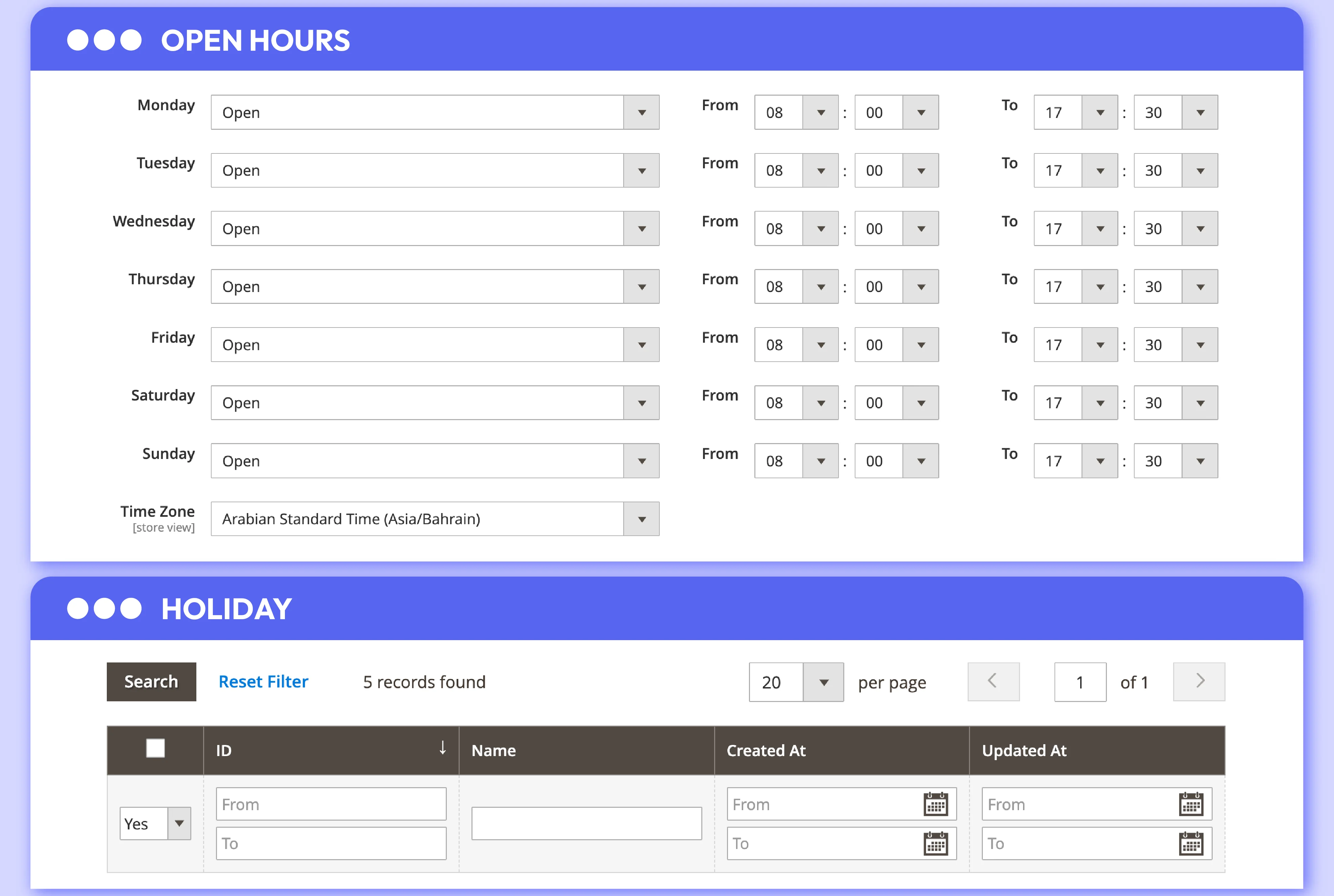
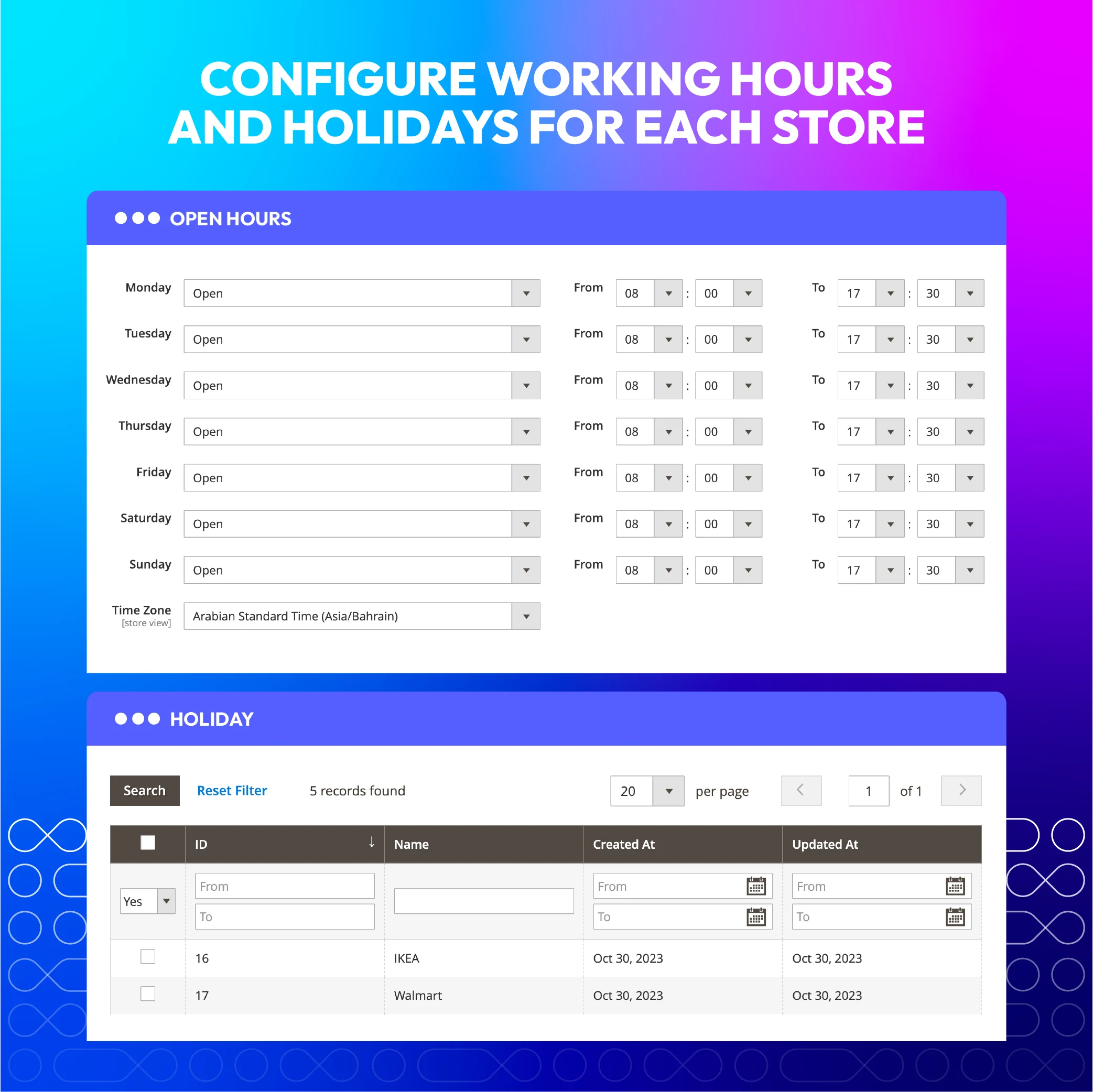
Store owners can set up working hours as well as holidays and special days for each store locator page. Opening hours for multiple stores can also be set at once, and the system automatically updates each store's status based on the time and schedule.
Store owners can set up working hours as well as holidays and special days for each store locator page. Opening hours for multiple stores can also be set at once, and the system automatically updates each store's status based on the time and schedule.
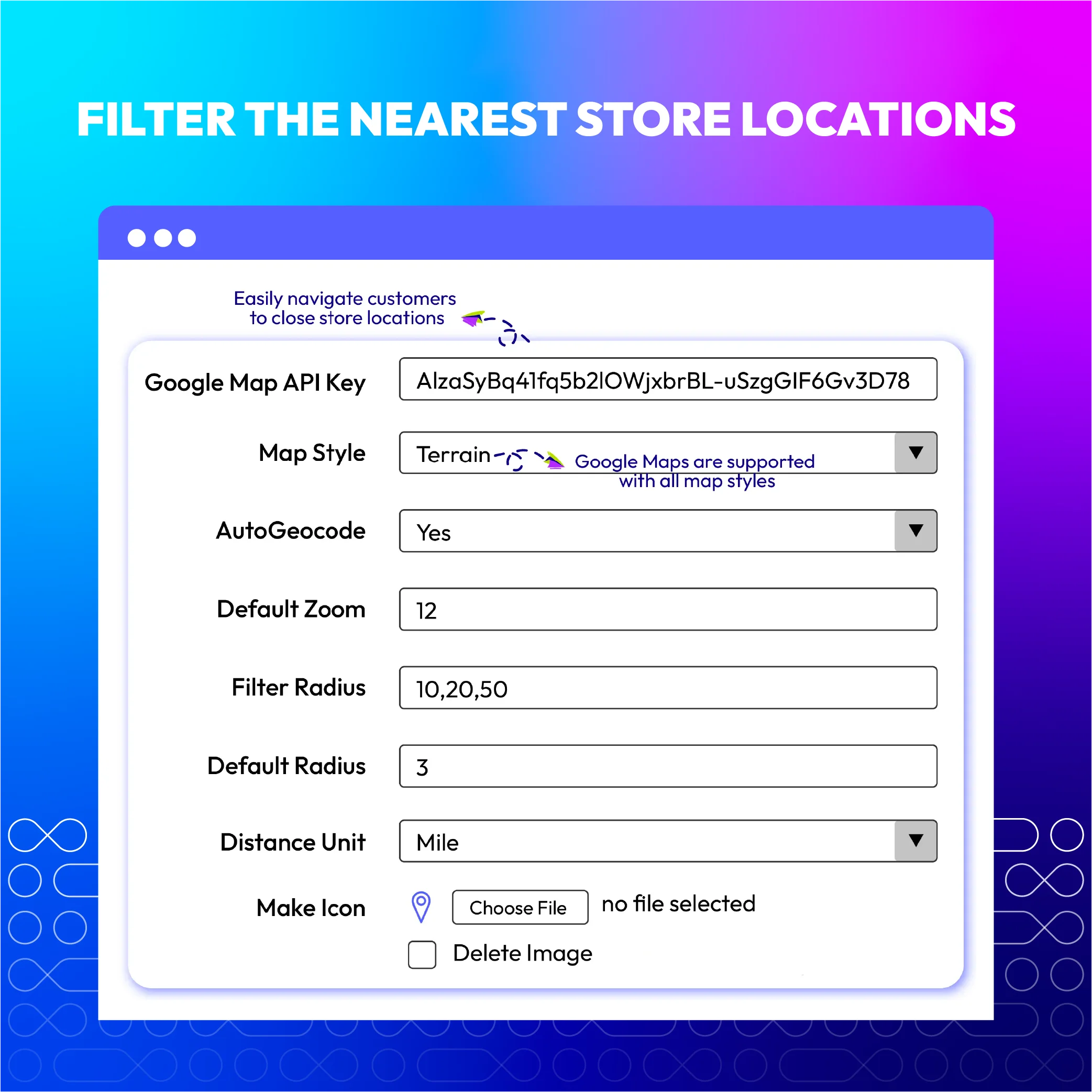
Select available or customize new maps
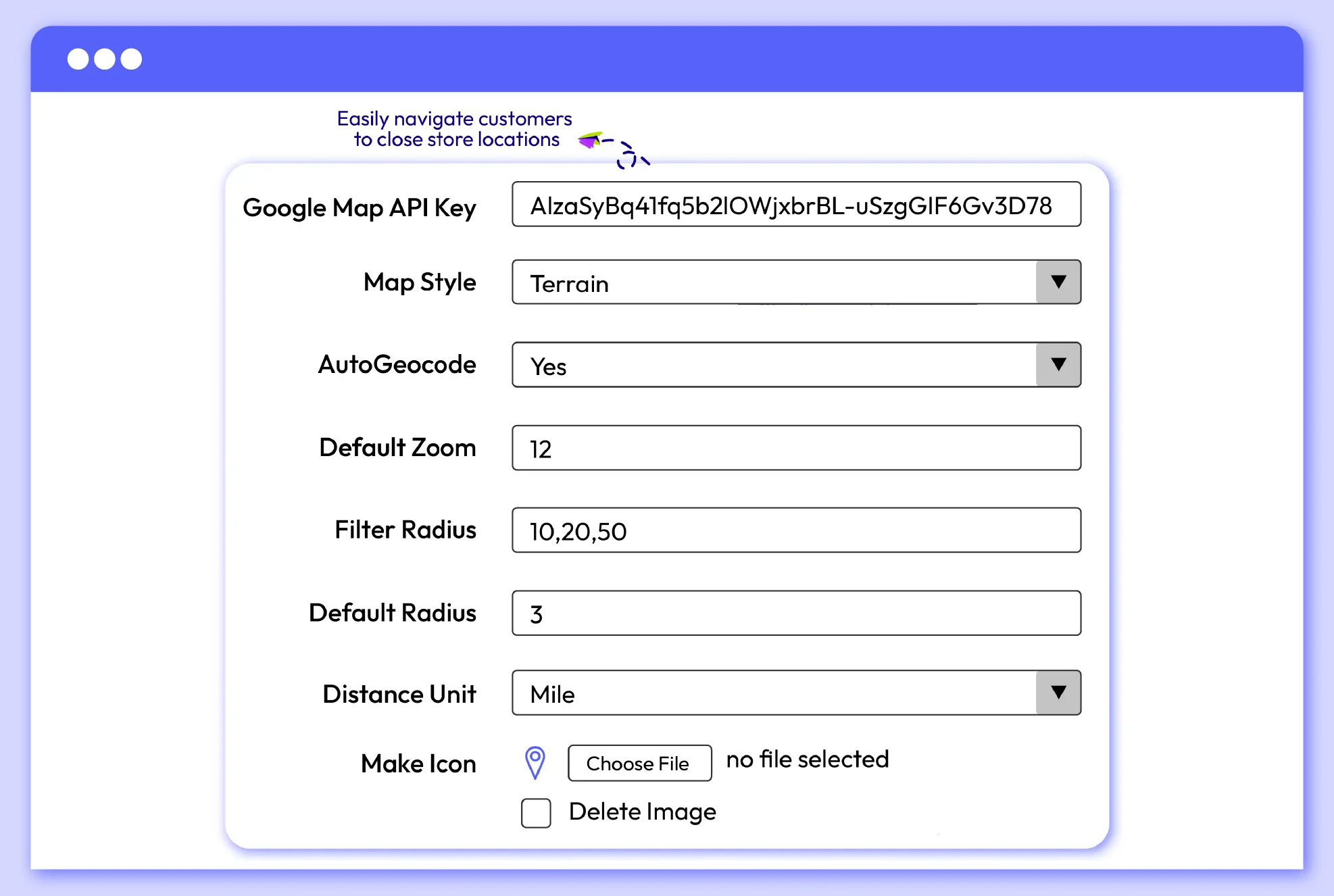
Magento 2 Store Locator provides 4 more map designs and enables stores to upload marker icons easily, in order to enhance the visual appeal and usability of the store locator feature.
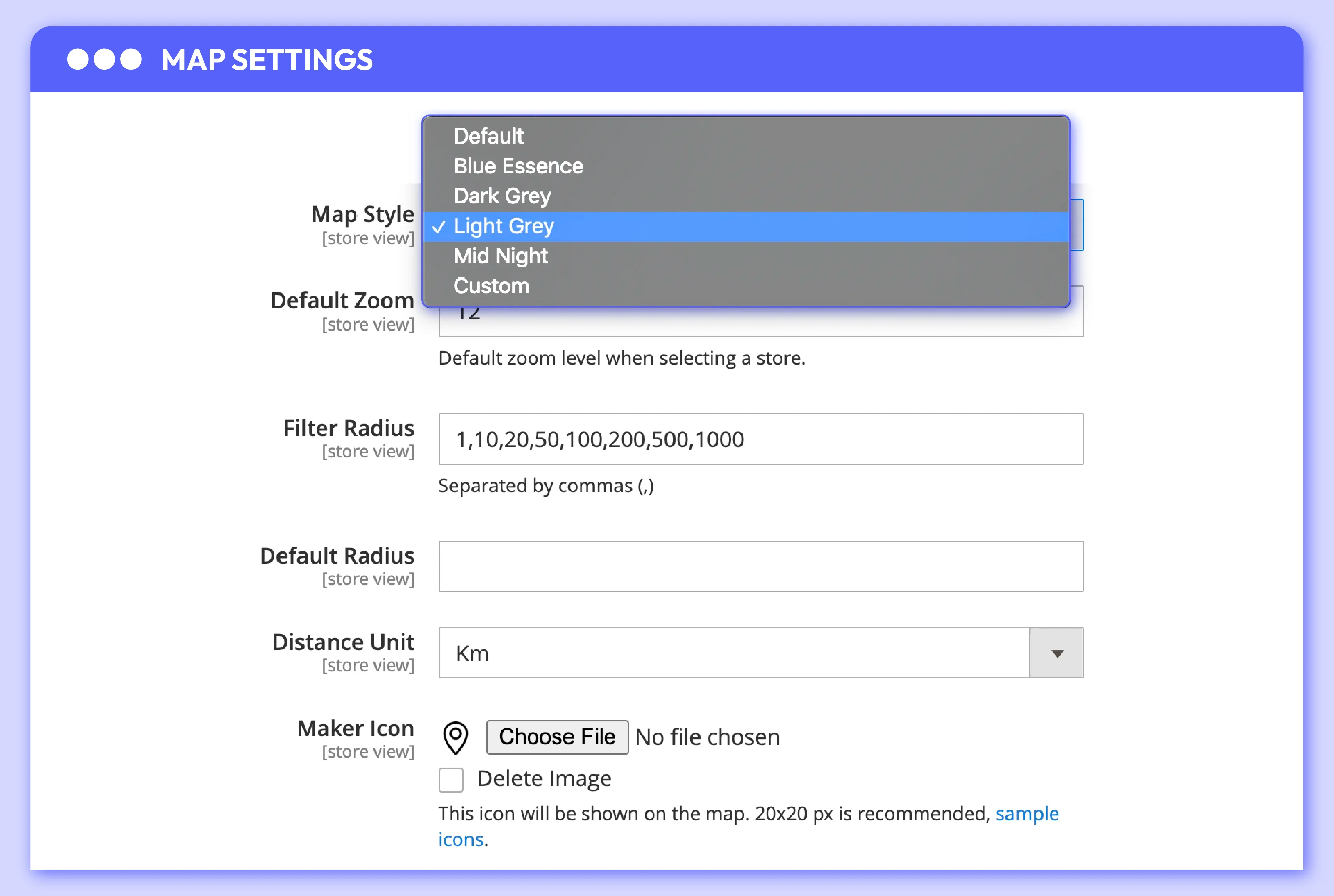
Besides the default Google map style, this extension provides 4 additional most-used map designs. If store owners prefer using other designs, they can add more map styles from the most popular and trendy map collection. The default map zoom can be set to fit the content block.
Besides the default Google map style, this extension provides 4 additional most-used map designs. If store owners prefer using other designs, they can add more map styles from the most popular and trendy map collection. The default map zoom can be set to fit the content block.
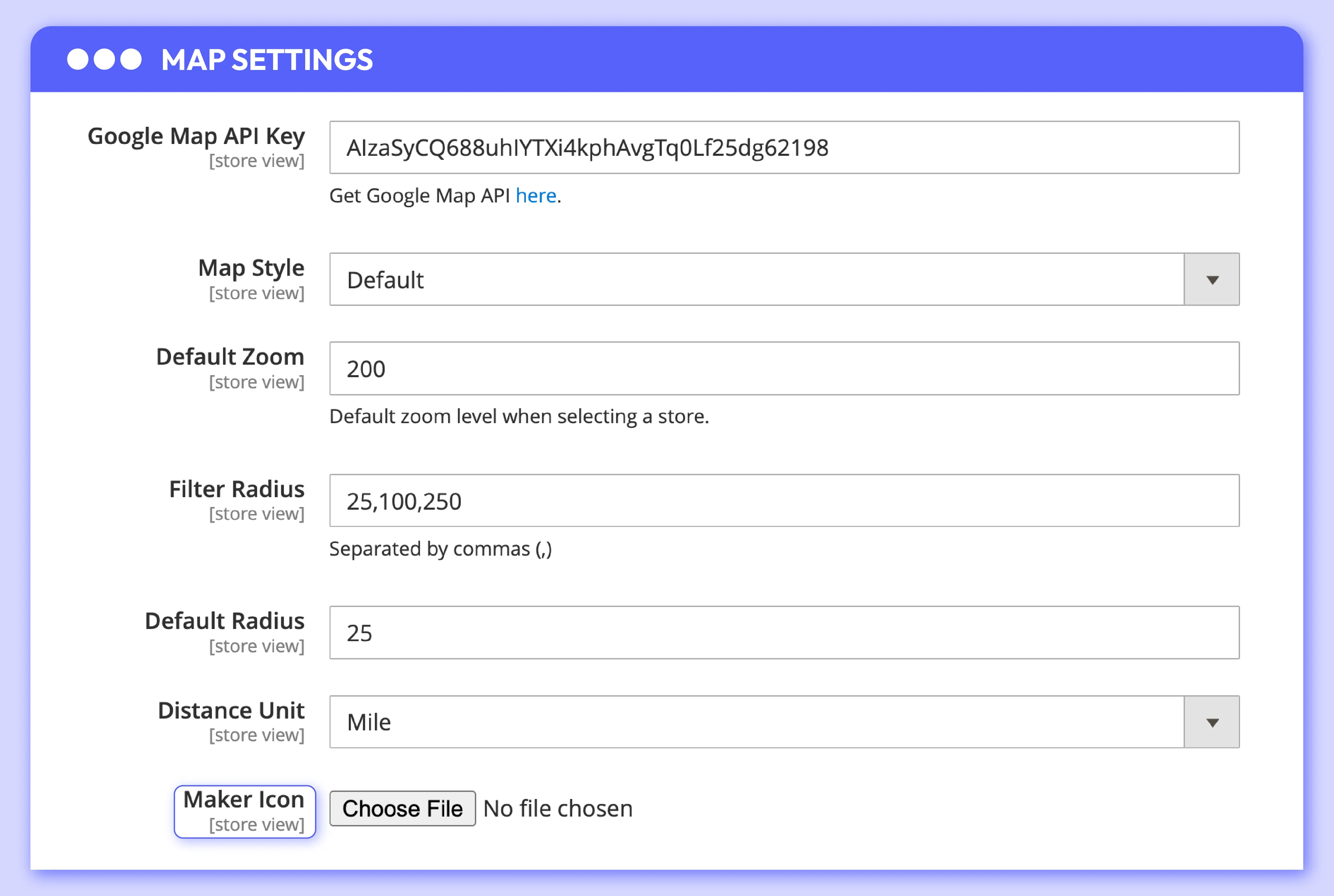
The attractive match between map and marker styles will create visual appeal to customers more easily. The background images and head icons can also be customized with ease.
The attractive match between map and marker styles will create visual appeal to customers more easily. The background images and head icons can also be customized with ease.
Support local SEO on the store locator page
Magento 2 Store Locator module helps to improve SEO performance and gradually increase the stores’ rankings on search engines.
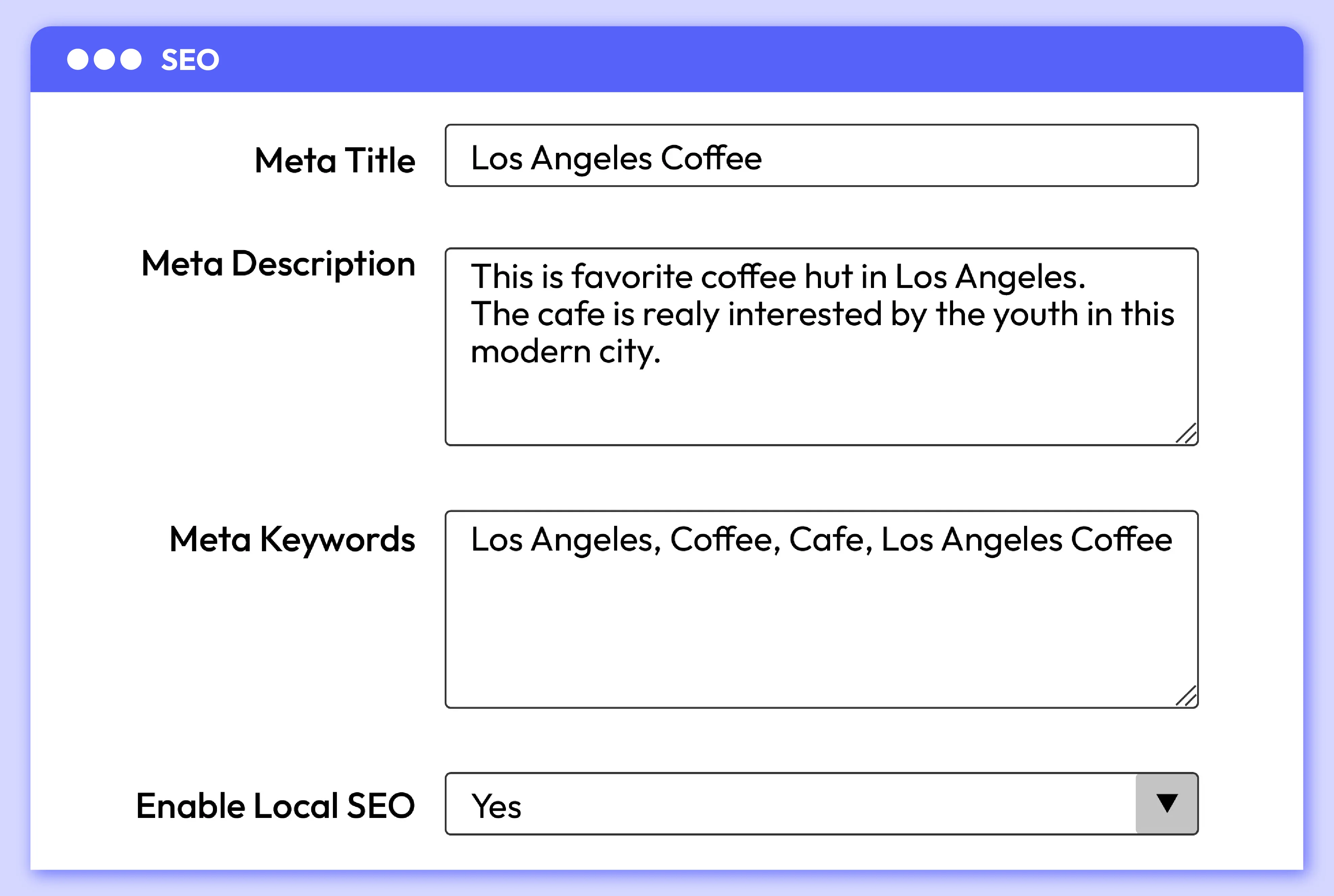
The Magento Store Locator module allows the admin to integrate keywords into content, especially local keywords, to be more SEO-friendly. Local content is created specifically for each store locator page.
The Magento Store Locator module allows the admin to integrate keywords into content, especially local keywords, to be more SEO-friendly. Local content is created specifically for each store locator page.
More features of Magento 2 Store Locator

Store Pickup function
At the checkout step, Store Pickup is added as an extra shipping method. Customers can easily select the stores they prefer to pick their items via a pop-up.

URL Key
Create a bookmark for the store location page using the URL key, so customers can easily open it later without having to remember the full URL.

Holiday grid management
View, manage, edit all holidays with ease via the backend grid.

Locate tricky shop locations via GPS coordinates and preview
Magento 2 Store Locator plugin allows converting the filled address to GPS coordinates to display its latitude and longitude

Sort order
Set display order of each location block from the backend setting.

Fully responsive design
Visitors can comfortably view the store location on PC, tablets or mobiles.

Import store locations
Stores can bulk import thousands of store locations from CSV files at a time.
Reviews (10)

We can update details about our branches and let customers reach us better. Thank you Mageplaza.
Also installed: Automatic Related Products, Google Tag Manager, Advanced Product Feeds, Advanced SEO Suite
This extension helps me allow customers to pick up products from physical stores. Great!
Also installed: Automatic Related Products, Google Tag Manager, Advanced Product Feeds, Advanced SEO Suite
This extension is great for improving the customer journey. I recommend this solution for any stores.
Also installed: Automatic Related Products, Google Tag Manager, Advanced Product Feeds, Advanced SEO Suite
Good extension that works as it's supposed to. We installed this on Magento commerce version
Also installed: Automatic Related Products, Google Tag Manager, Advanced Product Feeds, Advanced SEO Suite
It works fine, it's easy to install and configure; any doubt you have you can ask support and they will answer fast
Also installed: Automatic Related Products, Google Tag Manager, Advanced Product Feeds, Advanced SEO Suite
With this extension and with the support of Mageplaza, I was able to develop a system of pickup points tailored to my client.
Also installed: Automatic Related Products, Google Tag Manager, Advanced Product Feeds, Advanced SEO Suite
Patience, understanding, skills. I'm 100% satisfied. Too bad jet lag made difficult to get more than 2 answers a day.
Also installed: Automatic Related Products, Google Tag Manager, Advanced Product Feeds, Advanced SEO Suite
Thank you for so much for helping with the installation - your perseverance in resolving my particular issue was brilliant!
Also installed: Automatic Related Products, Google Tag Manager, Advanced Product Feeds, Advanced SEO Suite
Our supporter Ben was a fantastic help to us. He offered to stay late just to help us resolve the issue due to time zone constraints. Give this man a raise!
Also installed: Automatic Related Products, Google Tag Manager, Advanced Product Feeds, Advanced SEO Suite
I have just opened one more store branch and I am finding a way to show it on my site with the best look. Luckily, I visit and find Store Locator extension. It is really easy to use. I am really happy that I can add images and even store image slider. Very beautiful! Love it so much!
Also installed: Automatic Related Products, Google Tag Manager, Advanced Product Feeds, Advanced SEO Suite
Feature Roadmap
All of the feature updates plan and status will be updated as soon as possible in our public Trello.
View Mageplaza Extension Roadmap 2023 ->Don't see the features you are looking for?
Request featureRelease Notes
- Added features:
- Search by area
- Ship to Specific Countries
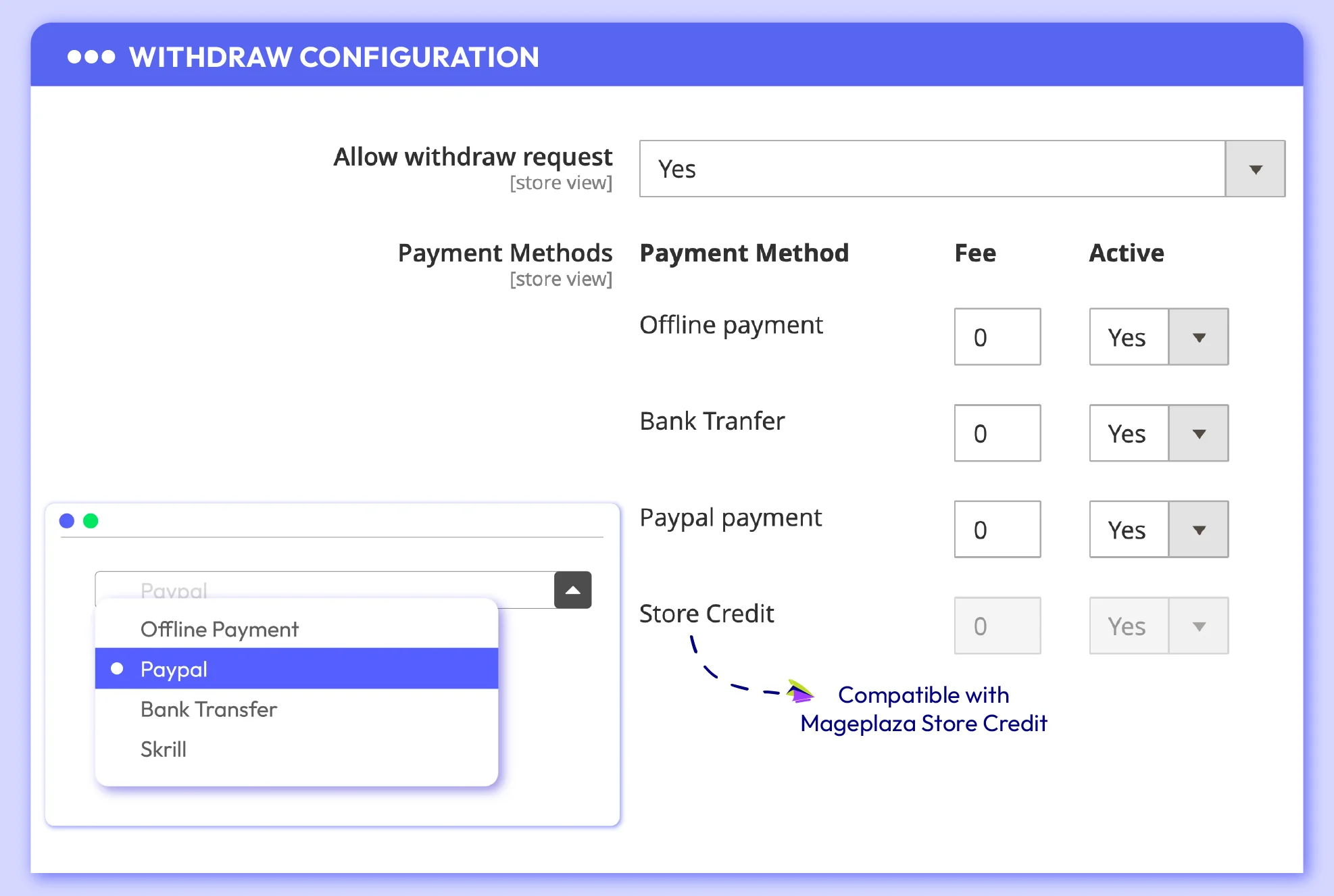
- Allowed Payment Methods
- Compatible with Magento v2.4.4
- Added features:
- Search by area
- Ship to Specific Countries
- Allowed Payment Methods
- Fixed minor bugs
FAQs
This extension overcomes the limitations of Magento 2 's default software. It enhances the user experience by enabling customers to effortlessly find nearby stores, provides geolocation and mobile support, fosters customer engagement by offering vital store information, and allows for design customization to maintain brand consistency. Advanced search and filtering options help users refine their store search, while integration capabilities provide real-time data on product availability and other store details, particularly beneficial for businesses with extensive networks.
Magento 2 Store Locator plugin does this: It makes a new page on your store's website where customers can look for real stores. Customers can put in where they are or use their device to find nearby stores. This plugin uses Google Maps to show a map with store spots on it. Customers can tap on a store spot to see stuff like the address, phone number when it's open, and what people think about it.
Store Locator extension offers customization options, allowing you to match the design, layout, and styling to your brand and website design. It offers 4 additional popular map designs, and store owners can easily add more from the trendy collection if they prefer different styles.
Yes, the Magento 2 Store Locator extension can support geolocation. Geolocation is a feature that allows websites and applications to determine a user's geographical location using their device's GPS or IP address.
The default Magento 2 Store Locator functionality does not include native support for importing store location data using CSV or XML files. However, Magento 2 Store Locator typically allows you to upload CSV or XML files containing store information and then map the data fields to the corresponding fields in your Store Locator. This way, you can efficiently manage and update store information in bulk.
Yes, this extension provides multilingual and localization support, enabling you to cater to a global audience.
Yes, with a Magento 2 Store Locator extension, you can typically add multiple store locations more efficiently compared to the default functionality. Store Locator extension offers features for bulk or batch importing of store location data.
Indeed, Mageplaza's Magento Store Locator extension does offer the capability to limit access to stores depending on customer groups or specific locations. For example, you can create customer groups for "Wholesale" and "Retail" customers, and then configure the extension to display different store locations for each group.
Yes, the Store Locator extension is designed to be mobile-friendly, ensuring a seamless user experience on various devices, including smartphones and tablets.
Magento 2 Store Locator Full Features
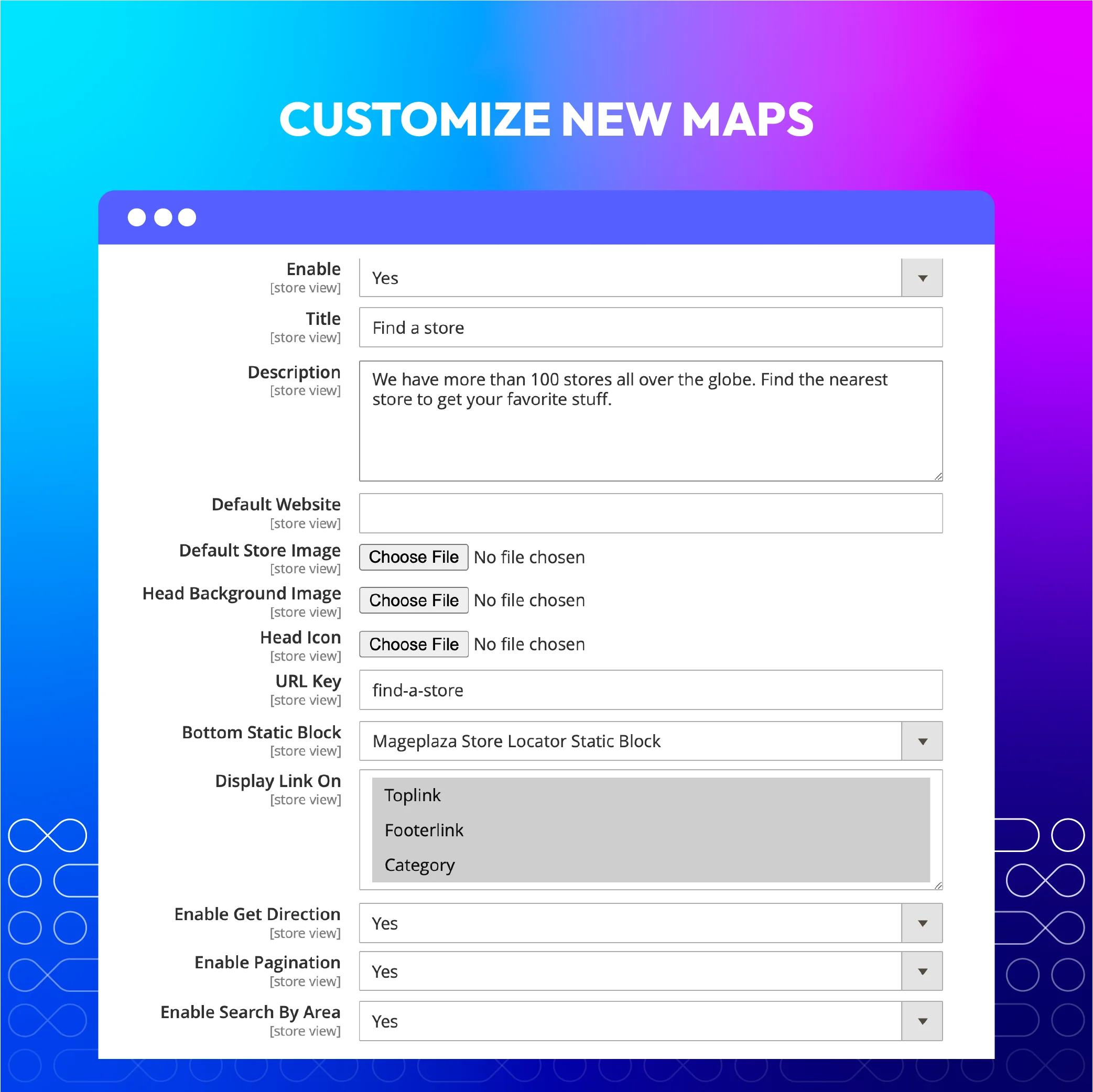
General configuration
- Enable/ Disable the extension
- Set title for store locator page
- Set description message
- Upload a background image
- Add URL Key
- Set display for the link
- Enable/ Disable to get direction
- Enable/ Disable filter function
- Enable/ Disable filter by current position
- Enable/ Disable search by ares function
For Store Admins
- Install detailed store information: address, zip code, phone number, email, store images...
- Set operating hours for each store (Set separate morning and afternoon operating hours to include a break time when it's closed)
- Enable/disable for each store and configure display for different store views
- Create contact information for each store
- Select the store's position by either selecting it on the map or entering precise coordinates
- Choose opening times for each store for each day of the week
- Set opening hours for each store for each day of the week
- Set up recurring holidays (monthly/yearly)
- You can configure days off for stores
- Customize the map interface
- Upload multiple images for the same store
- Enable/disable the module and configure Access Control List (ACL).
- Import Location by CSV
- Add a widget to display a store list and map
- Set up multiple different store addresses
- Take advantage of Store detail page meta data/Support SEO
- Create Landing page for each store
- Import/Export stores data
For Customers
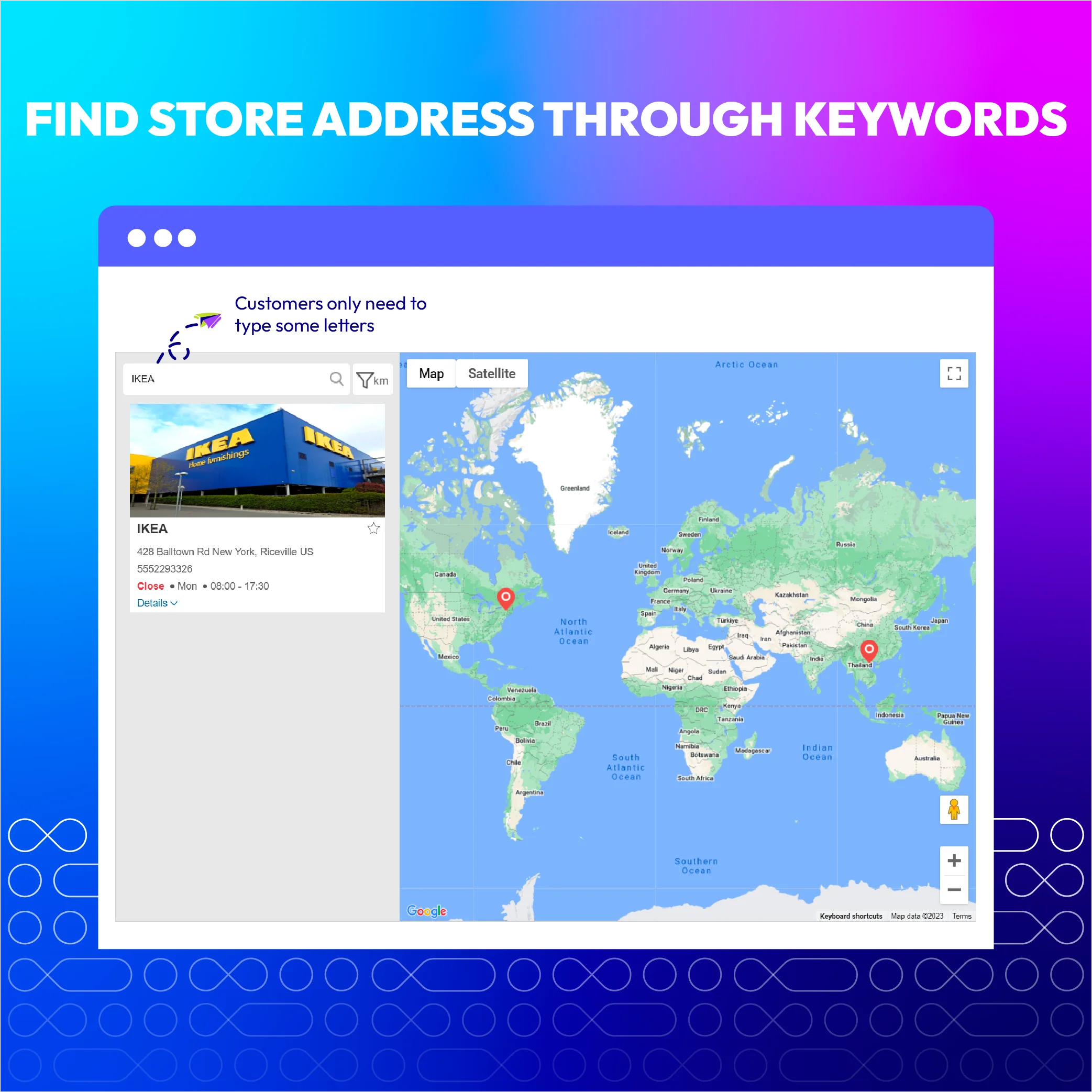
- View all store list and store location on Google map
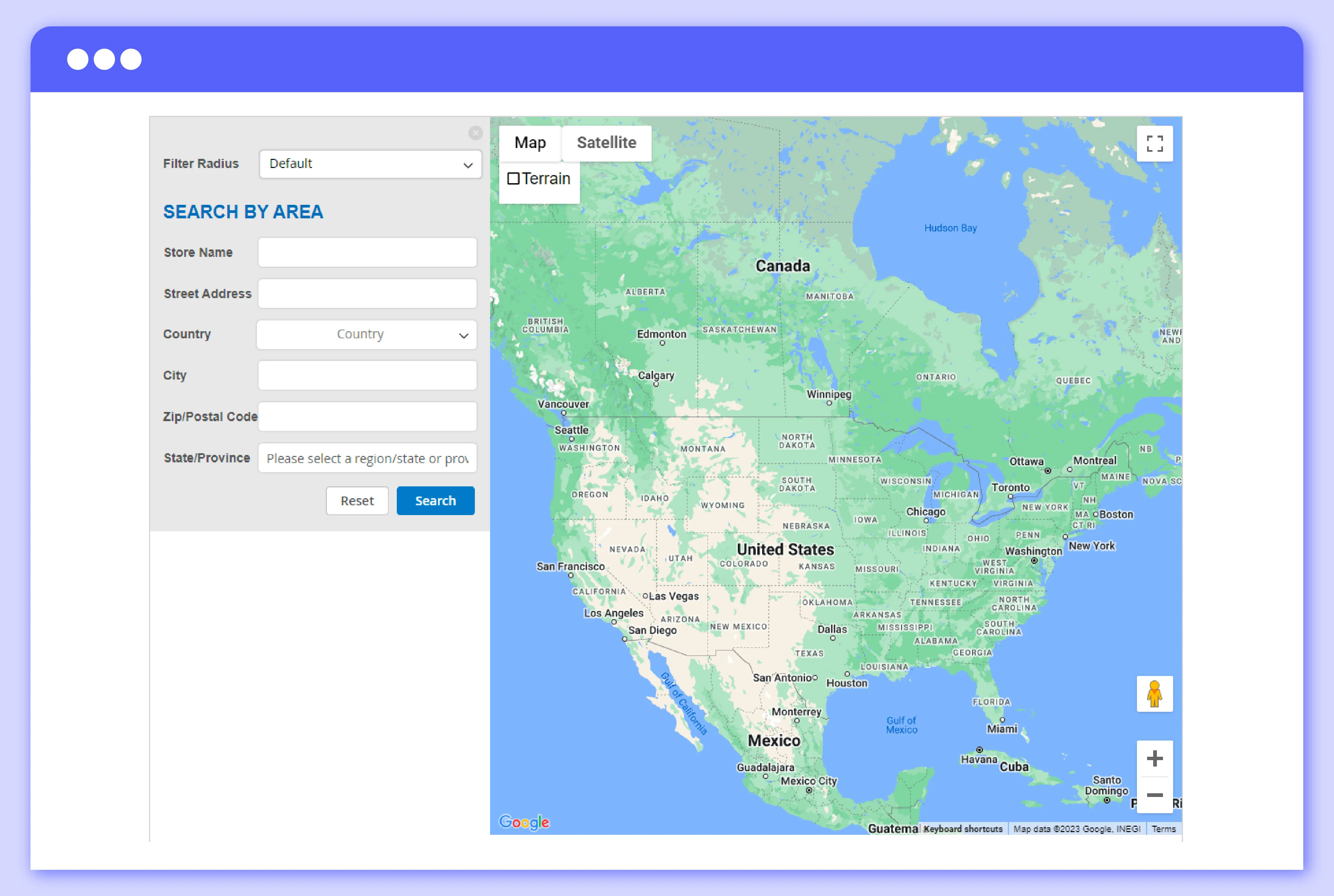
- Fliter the stores by distance, by tag, and by area
- Filter store by radius
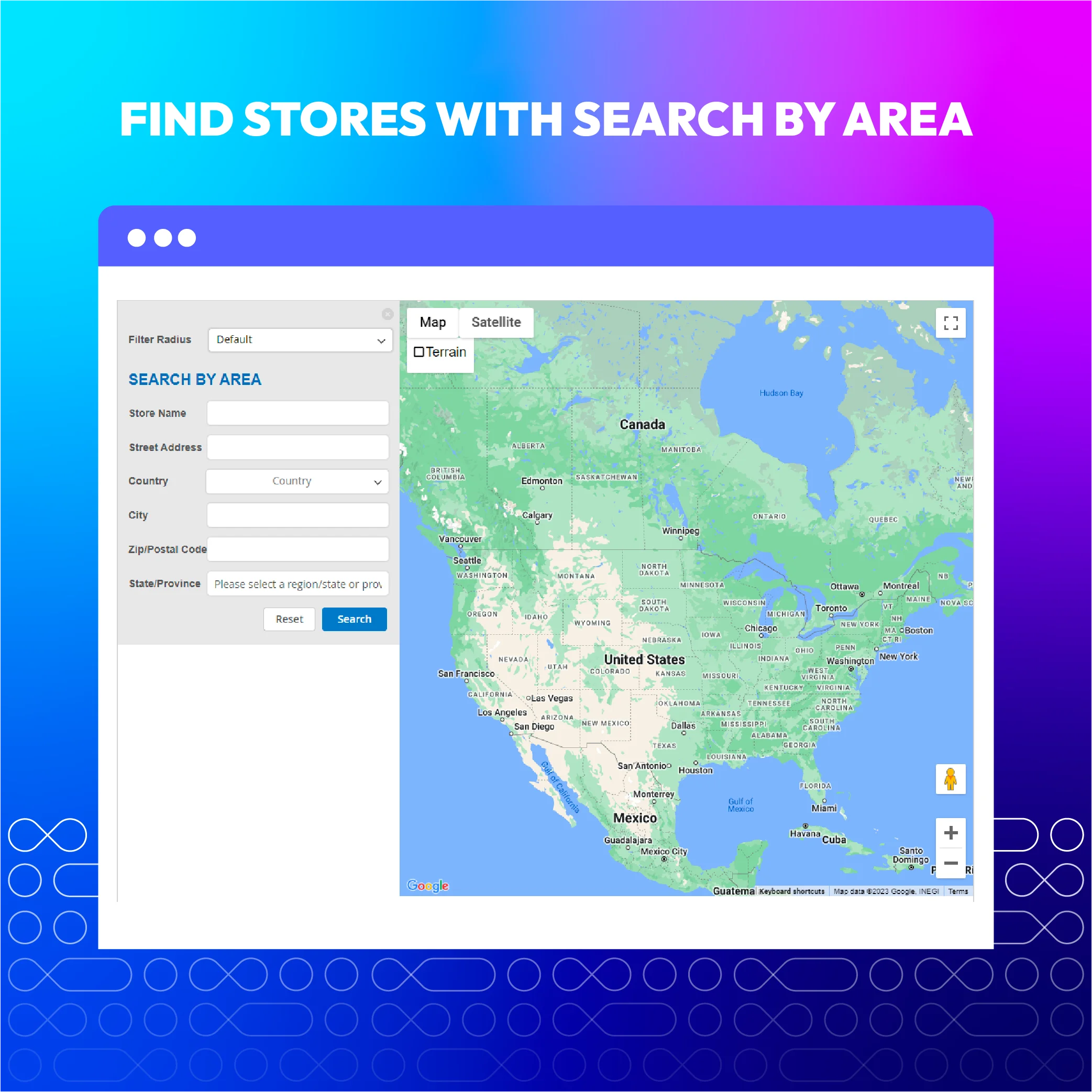
- Search stores by area (country, city and zip code) (New)
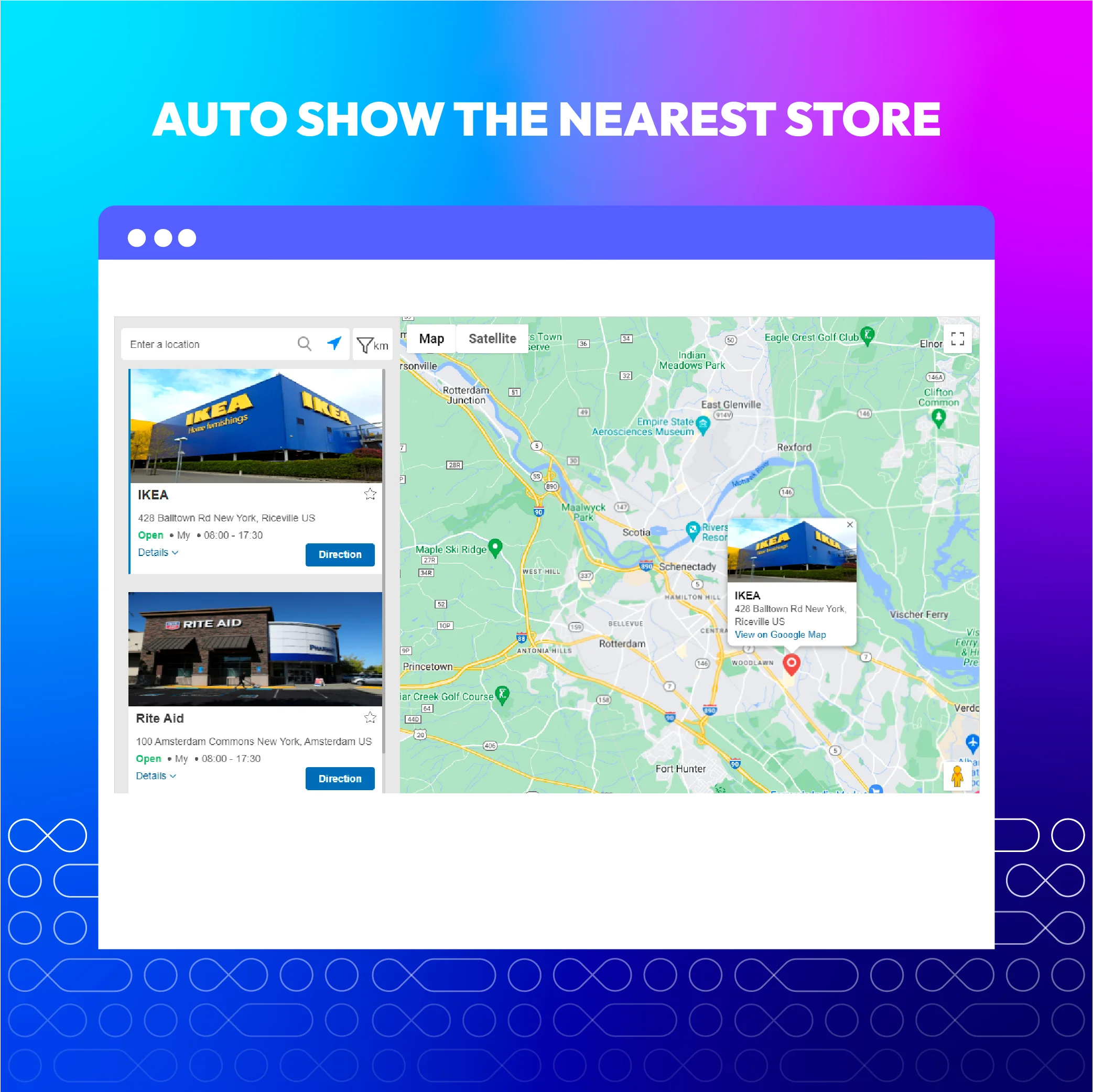
- Find the nearest store
- Select store, set appointment time to pick up the ordered items
- View Google maps suggestion about address related to the address they searched
- Get direction guide from a location to any store
- Get contact information of a store: address, phone, email, fax, website URL
- Know the opening time and holidays of a store
- View detailed images of stores with high quality
What customers say about us

Release notes
-
v4.3.0 (Magento v2.4.x)
10 June 2022
- Added features:
- Search by area
- Ship to Specific Countries
- Allowed Payment Methods
- Compatible with Magento v2.4.4
- Added features:
-
v2.5.0 (Magento v2.3.x)
10 June 2022
- Added features:
- Search by area
- Ship to Specific Countries
- Allowed Payment Methods
- Added features:
-
v4.2.2 (Magento v2.4.x)
28 December 2021
- Fixed minor bugs
-
v4.2.1 (Magento v2.4.x)
27 October 2021
- Compatible with Magento 2.4.3
- Compatible with Magento 2.4.2-p1
- Fix some minor bugs
-
v2.4.0 (Magento v2.3.x)
01 August 2021
- Add Facebook, Twitter to store contact
- Add config allow store pickup for guest
- Add pagination for better performance
- Compatible with Magento v2.3.7
- Fix minor bugs
-
v4.2.0 (Magento v2.4.x)
01 August 2021
- Add Facebook, Twitter to store contact
- Add config allow store pickup for guest
- Add pagination for better performance
- Fix minor bugs
-
v2.3.0 (Magento v2.3.x)
11 May 2021
- Add map style, filter radius rest API & GraphQl
- Add frontend config rest API & GraphQl
- Compatible with Magento 2.3.6
- Fixed error with rest API & GraphQl
- Fixed minor bugs
-
v4.1.0 (Magento v2.4.x)
16 April 2021
- Compatible with Magento v2.4.2
- Add [ Frontend config api/graphql ]
- Add [ Map style, filter radius api/graphql ]
- Add [ Default config for map setting ]
- Fix minor bugs
-
v4.0.0 (Magento v2.4.x)
14 October 2020
- Supported Magento v2.4.0
-
v2.2.1 (Magento v2.3.x)
14 October 2020
- Fixed minor bugs
-
v2.2.0 (Magento v2.3.x)
02 July 2020
- Supported RestAPI & GraphQL
- Added Unit Test
- Compatible with Magento v2.3.5
- Fixed minor bugs
-
v2.1.2 (Magento v2.3.x)
04 March 2020
- Fixed import locations error
- Compatible with Magento 2.3.3
- Fixed loading error on product grid
- Fixed other minor bugs
-
v2.1.1 (Magento v2.3.x)
17 July 2019
- Fixed responsive error on mobile
-
v2.1.0 (Magento v2.3.x)
08 July 2019
- Add Store Pickup feature
- Compatible with Magento 2.3
- Improved code style & performance
-
v2.0.2 (Magento v2.3.x)
15 January 2019
Fixed minor bugs
-
v2.0.1 (Magento v2.3.x)
07 January 2019
- Improved code style & performance
- Improved UI/UX
-
v2.0.0 (Magento v2.3.x)
05 December 2018
Rebuild Store Locator
Frequently Asked Questions
Mageplaza provides FREE Hyva/ Hyva Checkout Compatibility for all of our extensions upon requests. You can request by contacting us via email, live chat, or support ticket. Our team will respond within 24 hours and ask for details such as Order ID, extension name, Magento & Hyva versions, and any special requirements. To qualify, your module subscription must be active. If your subscription has expired, renewal is required as some older modules do not support Hyva. Additional customization requests may incur extra costs, and our team will inform you before proceeding. For assistance, feel free to reach out - we're here to help!
2.4.4 - 2.4.6
Pricing
Community
$199 first year
Enterprise/ Magento Cloud